Profiles, keys and privacy
App onlyOne setup per character, keys that work in game, and an overlay that stays out of your stream.
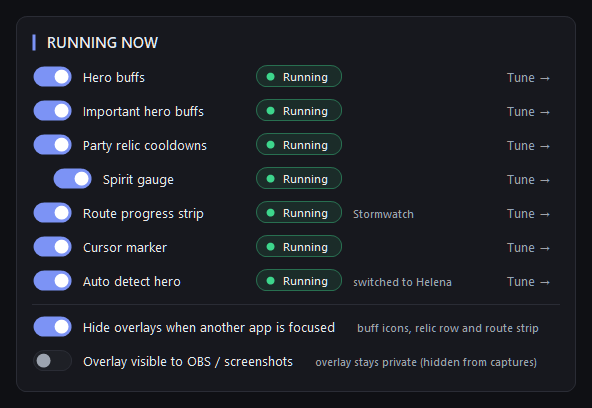
Each character gets a profile with its own buffs and bar placement. Three keys show and hide the window, the buffs and the relics from anywhere. The overlay is hidden from OBS and screenshots unless you allow it.
What it does
- A profile is one character's whole setup: its buffs and its bar placement.
- Show/hide the window (F7 by default), the buffs and the relics with keys that work in the game; hidden buffs and relics keep being tracked.
- Overlays hide when another app is in front.
- The overlay is invisible to OBS and screenshots unless you switch that on.
- Starts with Windows if you want it to.
- Store updates: the app says when one is ready and restarts into it, only while the game is closed.Next update
Why it is in the app only
Its keys, profiles and overlay work on your PC, next to the game.